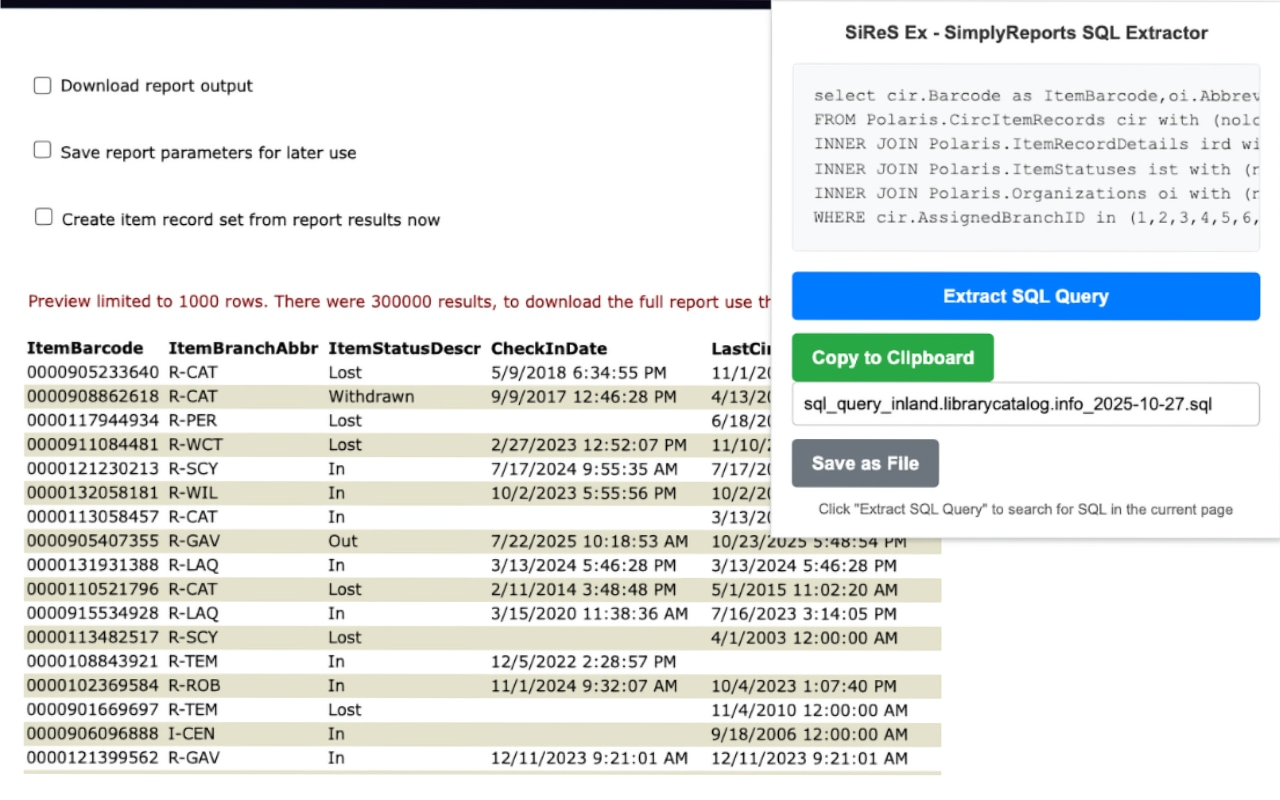
Come with me on a journey.
I may have written one of the most laser focused, single minded, small target browser extensions ever.
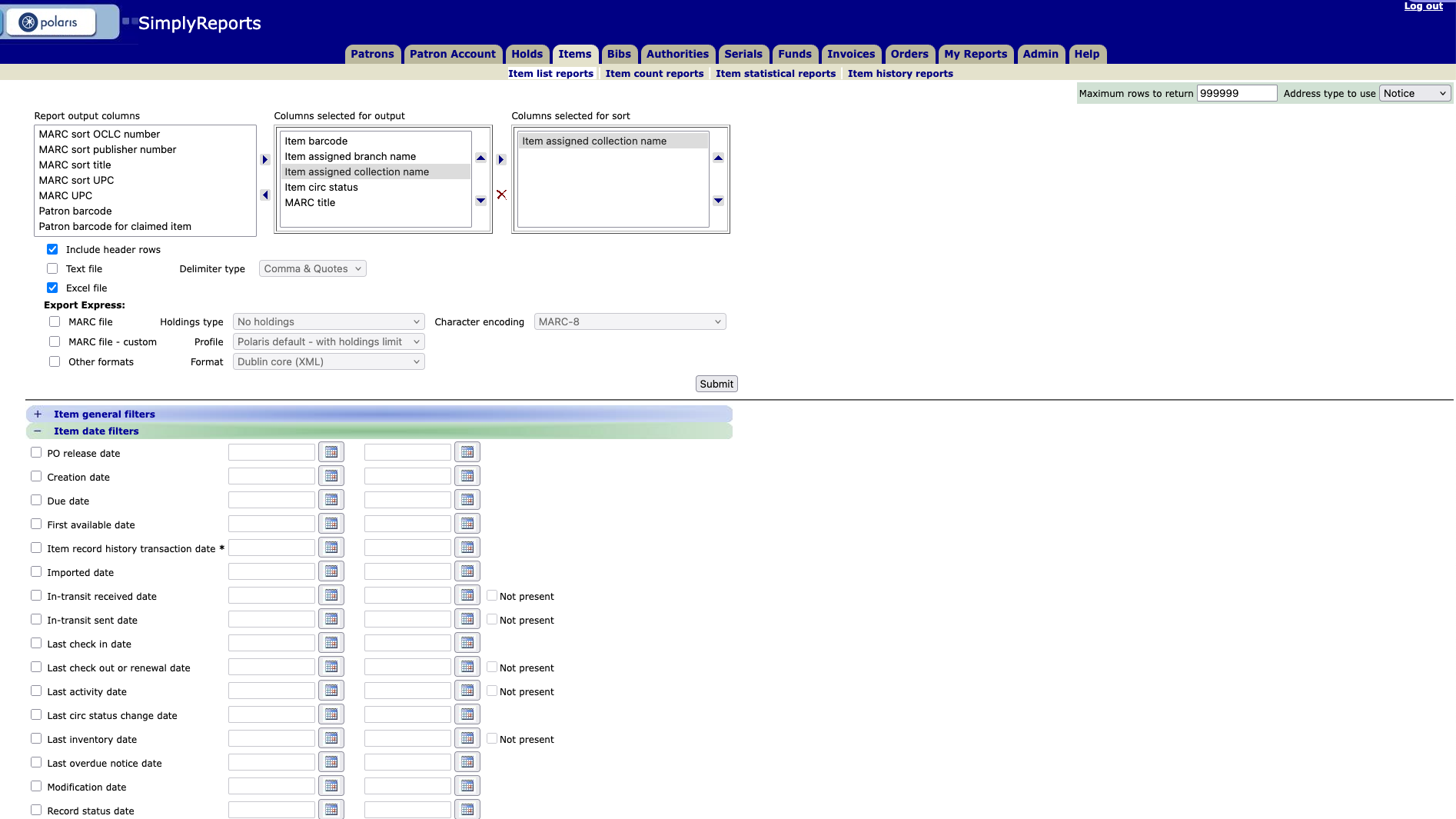
If you work with Polaris ILS, you may have also worked with SimplyReports. It’s a cool and useful bit of browser-based kit that allows you to build reports, pulling data from the Polaris databases, and you don’t have to learn any SQL to use it. You can build reports about circulation stats, patron fines and fees, your library’s acquisitions information, requests, and more. All you need to do is go through the workform, check the boxes you’re interested in, maybe add some dates, fill in some information, and SimplyReports will deliver a report. It’s great!
But there’s a hidden feature, one that’s incredibly useful if you happen to be a SQL user or you’re learning how to write SQL queries targeting the Polaris databases. When I was learning how to do things with T-SQL and Polaris, I used this hidden feature extensively and suggested it to others, because it’s not well publicized. See, when you run that report in SimplyReports, the results page will give you the code for the SQL query that generated that report. But… there’s a catch.
It’s hidden in the page source.
So Polaris users have to build the report, run the report, right-click on the page, select “View Source,” and then scroll down the page source to find the query. If you’re learning how the Polaris database works, or you’re not sure how one table relates to another, or you need something that will get you started with a more involved SQL query — this hidden SQL could save you a lot of time. The two problems are that you need to know it’s there in the page source, and then you need to go looking for it.
I talked with a few colleagues about how it’d be cool if there was a button that would just surface that SQL for you. Why not? The SQL isn’t a secret, it’s just not readily available for comment. And then, a couple days later, I was taking a shower and literally had a shower thought. The SQL query is in a predictable place in the page source, and it has a clear and unique ID.
So you could pull that SQL out of the page source with a browser extension.
When I got in front of a monitor again, I looked up a few things on how to write a Firefox extension because I use Firefox like it’s an operating system. Didn’t seem too hard, but the JavaScript was going to give me some problems for sure. I wrote some baseline code, tried writing up a manifest.json, and then turned to the one thing that I think AI is good at: Helping people write code.
Specifically, AI is pretty good at helping me write code because I kinda sorta know what I’m doing, I just lack the expertise to do it well. I took what I had and fed it to Claude as a project. I explained the files, what I wanted to do, and then asked for help finishing the proof of concept. Claude went to work, gave me some fresh code and ideas, and then I went made some tweaks and changes so that it looked and functioned in a way that made sense to me. After a couple hours of faffing about, I got SiReS Ex.
SiReS Ex, the SimplyReports SQL Extractor, started out as a Firefox add-on. After running a few tests to make sure the add-on worked, I decided it was good enough for a v1. I learned what I needed to do to get it signed by Mozilla and at first I figured, hey, I’ll just distribute it on my own. I posted about it on the IUG Discord because some systems librarians were asking for something like this and that’s when I was reminded that far more people use a Chromium based browser than Firefox. I figured sure, I can port this over to a Chrome extension, why not? And that’s when I found out that, to distribute a Chrome extension that anyone can use, you have to put it on the Chrome Web Store.
Oh. Okay.
I paid five bucks to be a real Chrome Developer, made a few changes based on the fact that Chrome != Firefox, and sent in my extension. And hey, if I’m going to have this on the Chrome Web Store I may as well put it on the Firefox Add-ons website. I packed it up, fixed a couple of errors, and sent it on its way the same day. Coincidentally, they were both approved a couple of days later, within an hour of each other.
So, if you happen to be a Polaris ILS user, and you happen to be a SimplyReports user, and you happen to be in a situation where you want the underlying SQL query from SimplyReports for reasons… then, beloved, I have a free and open source browser extension for you.
Because this extension is absolutely useless for anything else.
- SiReS Ex for Firefox
- SiReS Ex for Chromium
- The repo, if that’s a thing you’re interested in